What to Check When Switching to a Unified AI API
Moving from a single-provider AI API to a unified endpoint can simplify your codebase and give you more flexibility. But the switch involves more than just changing a URL. You need to verify that your requests, authentication, and models work the same way, and that the responses you get back are compatible with your existing logic. This article covers the main points to check so the migration goes smoothly.
Check the Base URL and Endpoint Structure
The first thing you will change is the base URL your client sends requests to. A unified API typically provides a single base address that replaces the original provider's endpoint. Make sure you update every reference in your code, including any hard-coded strings in configuration files, environment variables, or SDK initialization calls. If your application uses multiple environments (development, staging, production), each one must point to the correct base URL for the unified service. A small mistake here can cause all requests to fail or silently route to the wrong backend.
Verify Authentication and API Key Format
Authentication is another area where differences appear. The original provider may expect an API key in a specific header (like Authorization: Bearer <key>) or as a request parameter. A unified API often follows the same pattern, but the key itself may be a different string or have a different prefix. Check the documentation for the exact header name, the expected format, and any additional security tokens required. If your code uses an SDK, confirm that the library accepts the new authentication method without modification. Testing with a simple curl command first can save debugging time later.
Map Model Identifiers Correctly
Model names are not always identical across providers. The unified endpoint may use its own set of identifiers that map to the underlying models. For example, what you called "gpt-4" might be available under a slightly different string or even a different version. Create a mapping table in your application that translates your existing model references to the identifiers the unified API expects. Include fallback models in case a specific variant is not available. During testing, send a request with each model identifier and verify that the response contains the expected content and behavior.
Compare Request Schema and Parameters
The request body structure can differ between providers. Even if the unified API claims to be OpenAI-compatible, there may be subtle variations in parameter names, types, or supported options. Common fields to review include:
- Messages format: Are you still sending an array of message objects with role and content? Check if system messages are handled the same way.
- Temperature, top_p, and other generation parameters: Confirm that the unified API accepts these with the same names and expected ranges.
- Max tokens: The field might be called max_tokens or max_tokens_to_sample. Validate the exact key.
- Streaming: If you use streaming responses, verify that the unified endpoint supports the same streaming format (server-sent events, for example).
- Additional parameters: Some providers support extra fields like stop sequences, frequency_penalty, or presence_penalty. Make sure these are recognized.
A thorough comparison of your current request payloads against the unified API's documentation will catch most mismatches early.
Validate Response Format and Error Handling
Your application likely parses the response in a specific way. The unified API's response format should match the original provider's structure for success and error cases. Check fields like choices, usage, and id for naming and data types. Error responses can be especially tricky: the HTTP status codes and the body structure may differ. Write integration tests that cover common errors (invalid key, rate limit, model not found) and ensure your error-handling code can interpret them correctly. If the unified API uses different error codes, you may need to update your retry logic or user-facing messages.
Test SDK Compatibility
If your application relies on an SDK (like the official OpenAI Python or Node.js library), the unified API may work with the same client code, or it may require a custom SDK or a fork. Test the SDK against the unified endpoint with a simple request. If the SDK uses a base URL parameter, you can often point it to the new endpoint. But some SDKs hard-code provider-specific logic, so you might need to switch to a different library or use raw HTTP calls. The same goes for community-maintained SDKs: verify that they are compatible and kept up to date.
Check Rate Limits and Pricing
Rate limits are often different on a unified API compared to the original provider. You may have a different number of requests per minute or a different cost per token. While this article does not discuss specific prices, you should check the unified service's documentation for its rate limit policy. If your application handles high traffic, you might need to adjust your request throttling or queueing logic. Also, be aware that some unified APIs enforce rate limits per API key, while others do it per endpoint or per model.
Consider the Migration Path
Plan to migrate gradually. Start with a non-critical route or a test environment. Run both the old and new endpoints side by side and compare outputs. Log any discrepancies in response content or timing. Once you are confident the unified API behaves identically for your use cases, you can switch over the rest of your traffic. Keep the old provider's endpoint as a fallback in case you need to roll back quickly.
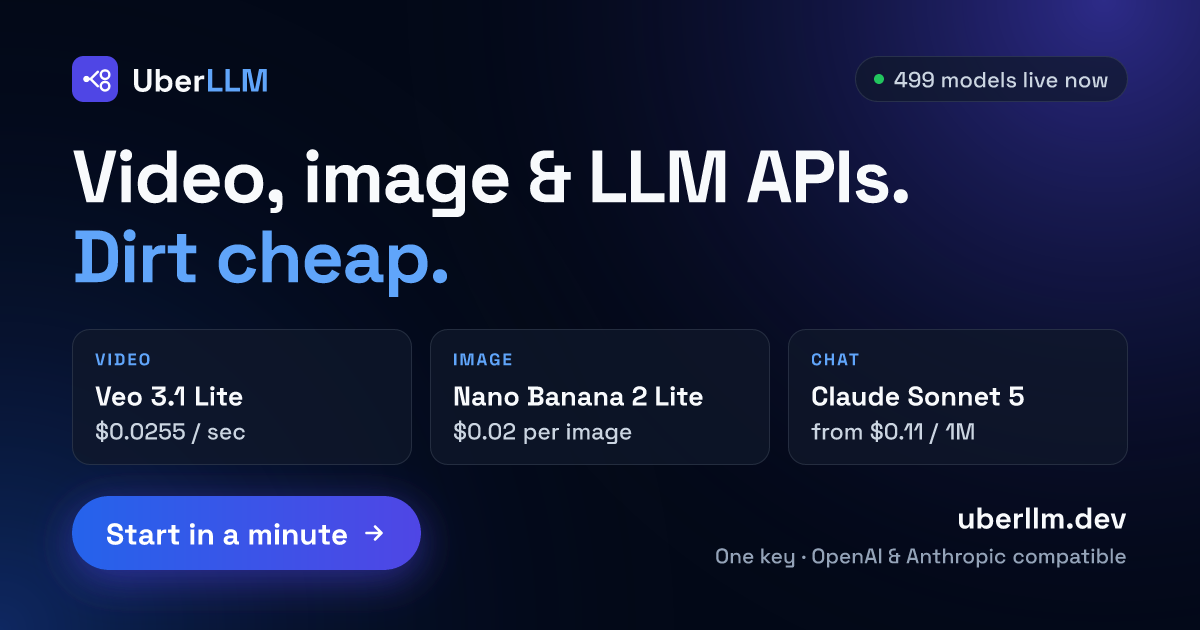
One service that provides this kind of unified access is UberLLM. It offers an OpenAI and Anthropic compatible API through a single endpoint, letting you access multiple model providers without changing your code structure. When evaluating such a service, run through the checklist above to confirm compatibility with your application.
Plan for Monitoring and Maintenance
After migration, set up monitoring to track response times, error rates, and model availability. The unified API might introduce new models or deprecate old ones over time. Keep your model mapping updated and watch for any changes in the request or response format. Regularly run a small set of integration tests to catch regressions early. A unified API can simplify your architecture, but it still requires the same care as any external dependency.
Migrating to a unified AI API is a practical step for teams that want flexibility without rewriting code. By checking the base URL, authentication, model identifiers, request schema, response format, and SDK compatibility, you can make the switch with confidence. The key is to test thoroughly before cutting over, and to keep a fallback plan ready. A careful migration means less disruption and more freedom to choose the best model for each task.